Offline-first password manager and secure vault
The elegant vault for people who want their secrets to stay off the internet.
Ccrecy helps you protect passwords, cards, banking details, documents, crypto notes, and sensitive photos with on-device encryption, biometric access, stealth modes, local sync, and recovery controls built for real-world privacy.
Launch status
Now live on Google Play. App Store coming soon.
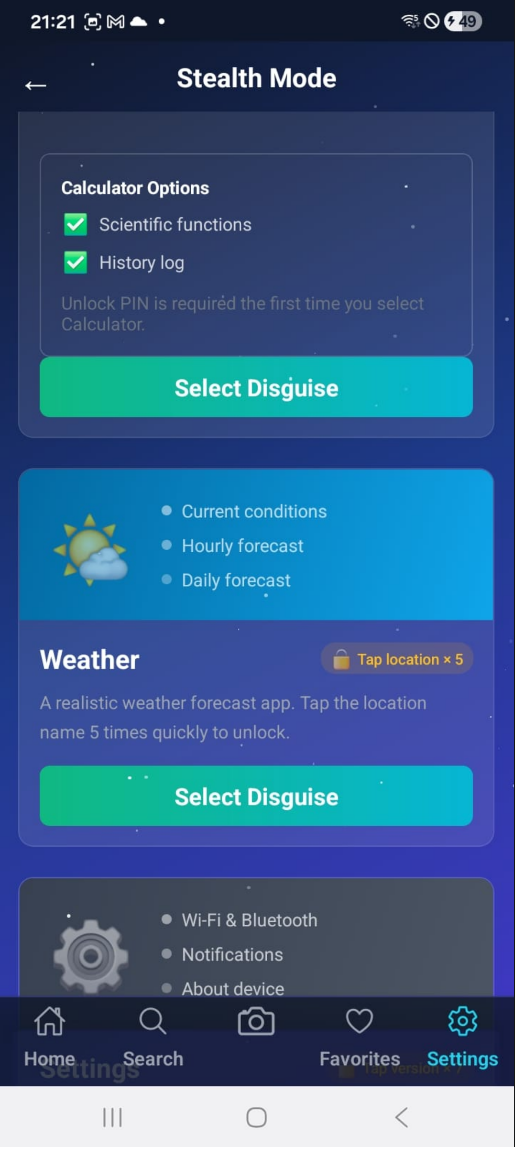
Stealth mode
Hide the vault in plain sight
Local sync
Encrypted transfer on the same network
No cloud dependency
Your vault stays on your device unless you explicitly export or sync it locally.
Layered protection
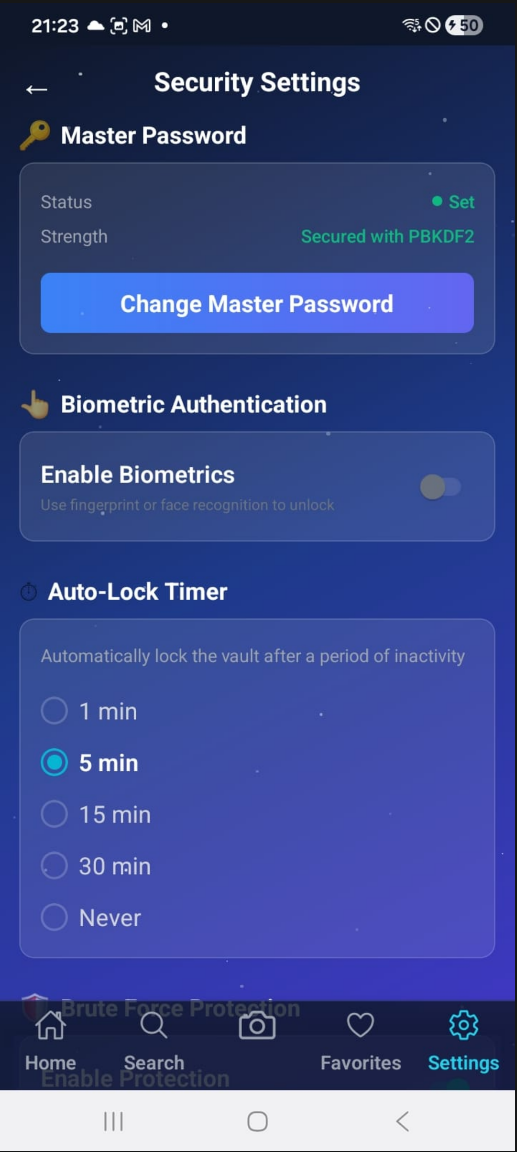
Biometrics, brute-force defense, screenshot blocking, and clipboard auto-clear work together.
Recovery without backdoors
Use the master password or your 24-word recovery key. No password-reset emails. No hidden access.
Availability
Release status, exactly as it stands today.
The Android release is now live on Google Play. The iPhone release has not entered App Store review yet, so the iOS listing is still coming soon.
Now live
Download Ccrecy on Google Play using the production listing.
Coming soon
The iOS App Store process has not started yet. The website now reflects that clearly instead of implying current iPhone availability.
Official pages are live
Privacy Policy and Terms and Conditions are live on the production legal domain.
Why Ccrecy
Most security apps ask you to trust their servers.
Ccrecy takes the opposite position: your most sensitive data should remain under your control. That means local storage, encrypted backups, peer-to-peer transfer on your own network, and app-level disguises for moments when privacy is social, not just technical.
What you can lock down
- Passwords and login credentials
- Cards and banking information
- Crypto references and secure notes
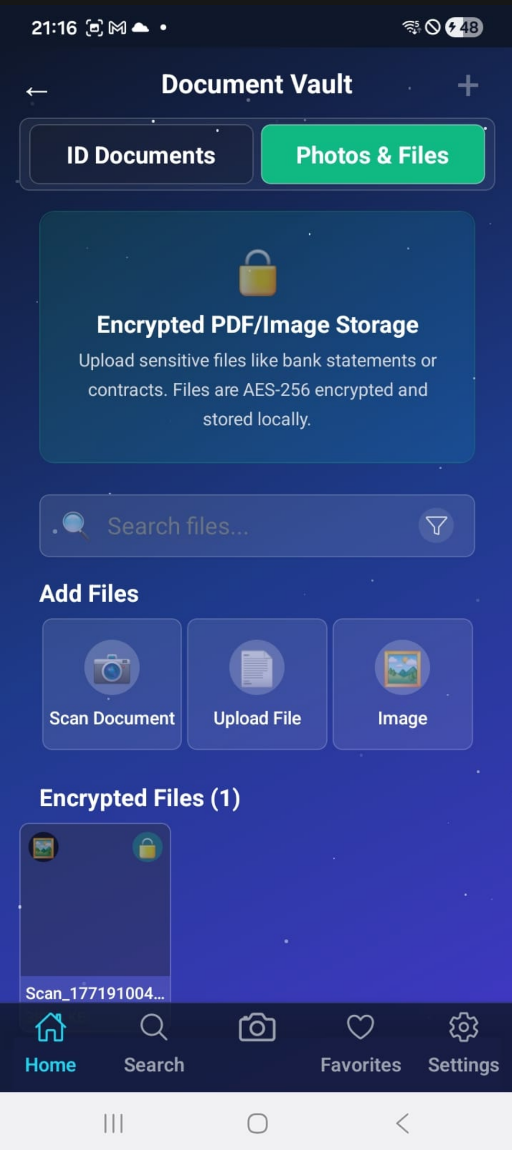
- IDs, contracts, and important documents
- Private media and photo vault content
Feature architecture
Designed for privacy-conscious people who still need speed.
Every major workflow in Ccrecy is shaped around a simple rule: security should not force you into friction every time you need your own data.
Offline-first vault
Passwords, cards, banking details, notes, documents, and photos remain stored locally with encrypted payloads.
Biometric access
Unlock with fingerprint or face authentication while keeping the master password as the security anchor.
Stealth and decoy modes
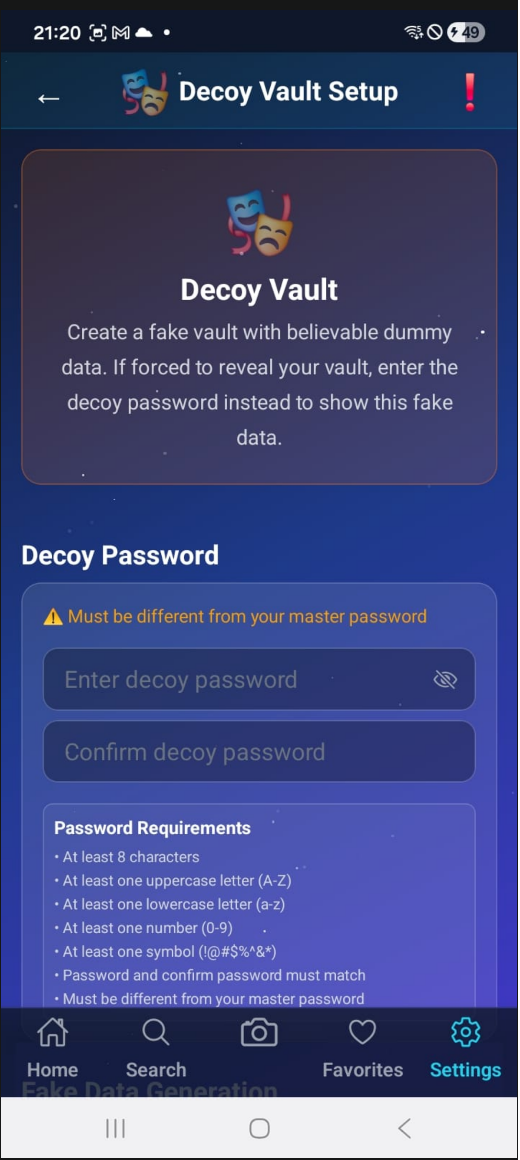
Disguise the app as a normal utility and keep a believable decoy vault for high-pressure scenarios.
Local encrypted sync
Move vault data between devices on the same Wi-Fi network with encrypted, peer-to-peer transfer and no cloud relay.
Operational safety controls
Auto-lock, clipboard clearing, screenshot prevention, and failed-attempt wipe rules reduce accidental exposure.
Backup and recovery
Export encrypted backups and recover access with the 24-word recovery key if the master password is lost.
Security posture
Strong enough for sensitive data. Clear enough for daily use.
Create your vault
Set a master password, receive a 24-word recovery key, and add the sensitive information you actually need to carry.
Harden access
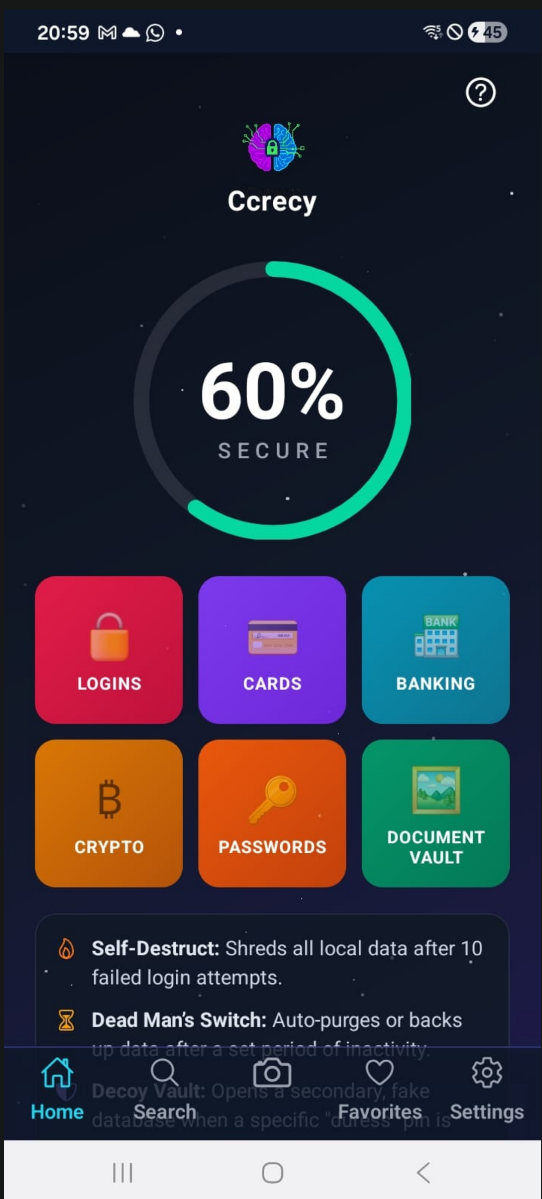
Enable biometrics, tune auto-lock, require password confirmation for sensitive actions, and raise your security score.
Control your footprint
Use stealth mode, decoy vaults, dead man’s switch behavior, and encrypted local sync when privacy needs to extend beyond the screen.
Product showcase
A security product that still feels polished in the hand.
What stands out
Ccrecy is not trying to be another cloud vault.
No server account is required to start protecting your data.
Stealth mode and decoy access address real-world pressure, not just technical threat models.
Use encrypted backup and local sync when you need to move data without surrendering control.
FAQ
Questions serious users usually ask first.
No. The app is designed to keep vault data on-device. Data only moves when you export an encrypted backup or use local device-to-device sync.
You can store logins, passwords, card details, banking information, secure notes, crypto references, documents, and selected private media.
Ccrecy provides a 24-word recovery key during onboarding. That recovery flow exists specifically so access can be restored without introducing developer-side backdoors.
Yes. You can export an encrypted backup or use local sync between devices on the same network for direct transfer.
Yes. The product is built for both iOS and Android, with the same privacy-first model across platforms.
Ready to evaluate Ccrecy?
Bring your passwords and sensitive records back under your control.
Download the production Android release from Google Play today, or reach the Ccrecy team for support and deployment questions. iPhone availability will follow after the App Store process begins.